I spent forty minutes last Tuesday making myself look seventy years old, then twenty again, then with a full beard I have never been able to grow in real life. My girlfriend walked in, looked at my phone, and just said "what are you doing." I had no good answer. That is FaceApp in a nutshell. It grabs you with one dumb idea, then you blink and you have been swiping through filters for an hour.
What Is FaceApp
FaceApp is an AI-powered photo editor for Android and iOS that specializes in transforming faces. You load a selfie, tap a button, and the app ages you, de-ages you, swaps your gender, adds hair, removes hair, changes your expression, or slaps a beard on you. It launched in 2017 and went viral almost immediately because the results look genuinely convincing, not like a cheap Snapchat filter stamped on top.
How It Works
The app uses neural networks to detect facial landmarks and reconstruct the image rather than overlaying a sticker. Here is the basic flow.
- Open the app and grant camera and photo gallery access.
- Pick a photo from your gallery or take a fresh selfie inside the app.
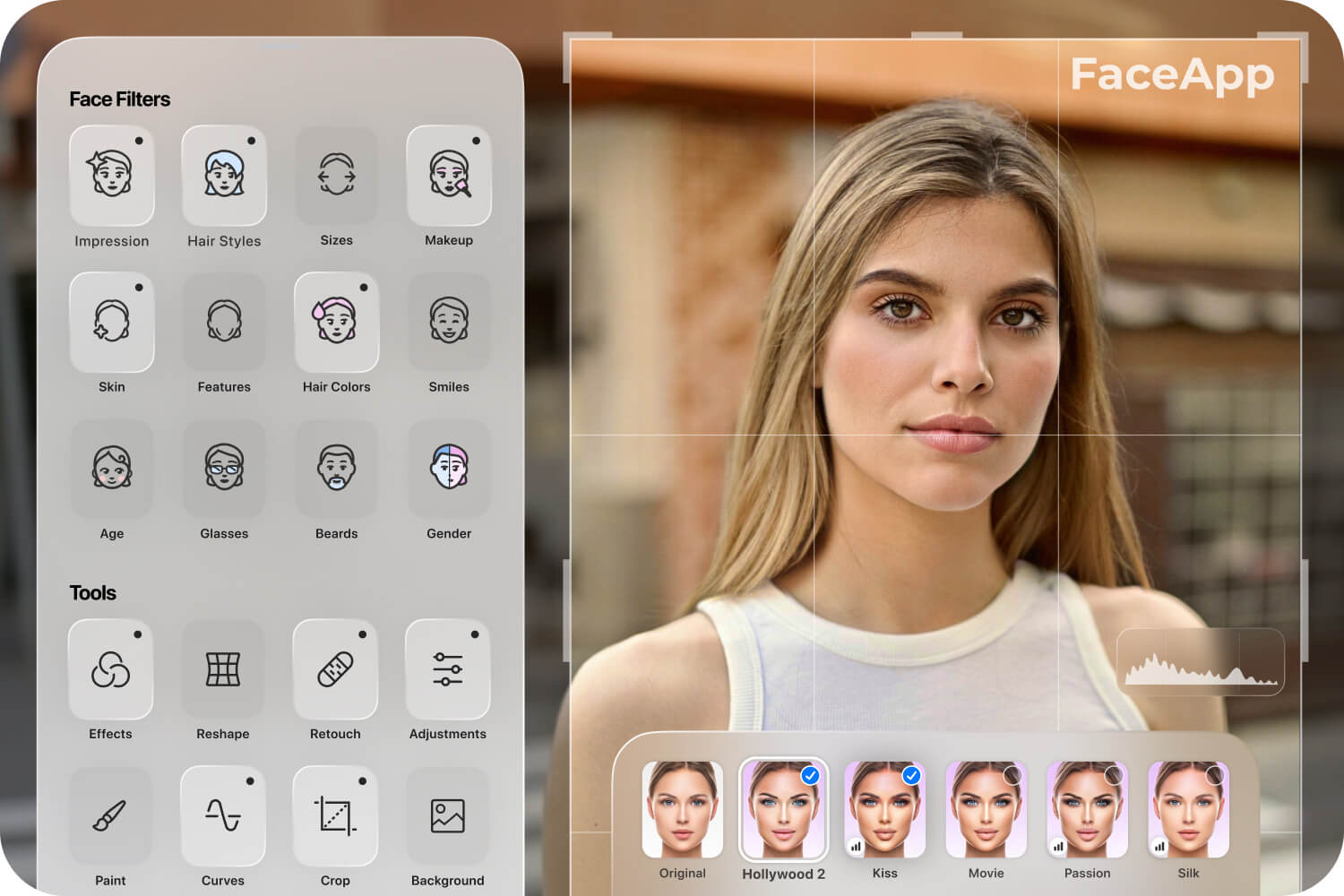
- The app detects the face automatically and shows a row of filter options at the bottom.
- Tap any filter, wait about two seconds, and the transformed photo appears.
- Save it to your gallery or share directly to Instagram, Snapchat, or TikTok.
Key Features
Aging and De-Aging
This is the filter that made FaceApp famous. The "Old" filter adds wrinkles, gray hair, sagging skin, and age spots in a way that looks shockingly real. The "Young" filter reverses it. I ran my own photo through the Old filter and sent it to my mom, who called me immediately asking if I was okay. That is how good it is.
Gender Swap
Tap one button and the app reconstructs your face as the opposite gender. It adjusts jawline, cheekbones, brow depth, hair length, and skin texture. The results range from "huh, I would date that person" to "this is deeply unsettling and I need to close the app." Either way, people love it. The gender swap challenge went viral on TikTok and Instagram for a reason.
Hair Styles and Colors
Want to see yourself with a buzz cut, long flowing hair, a mohawk, or platinum blonde? FaceApp can do it. The hair replacement is one of the better features because it actually matches lighting and shadow to the original photo instead of pasting a flat wig on your head. I tried about twelve hairstyles in one sitting and learned that I should never, under any circumstances, get a bowl cut.
Beards, Mustaches, and Smiles
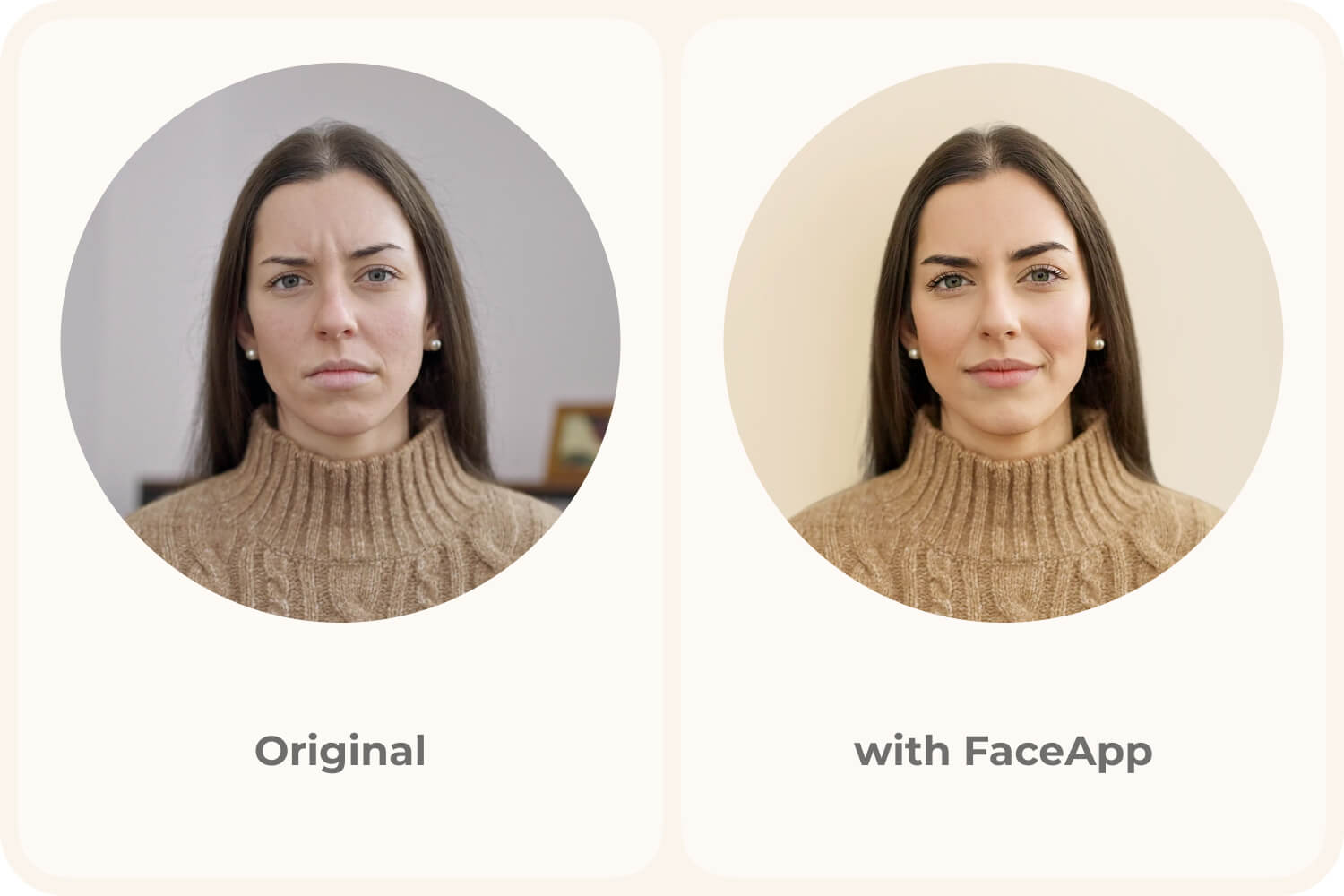
The beard and mustache filters are scarily realistic. If you have ever wondered what you look like with a full lumberjack beard, this answers it. The "Smile" filter is another popular one. It takes a neutral expression and adds a natural-looking smile, complete with teeth. Some people use it to fix group photos where one person forgot to smile.
Hollywood and Impressions Filters
These are more experimental. The Hollywood filter smooths your skin, adjusts lighting, and gives you a slightly more angular face, as if a movie poster designer got hold of your selfie. The Impressions filter applies artistic styles inspired by famous painters. These are hit or miss, but when they hit, the results are striking.
App Screenshots
Step-by-Step Tutorial
Here is how to go from zero to a finished, shareable FaceApp edit in under two minutes.
- Download and install FaceApp from Google Play or your preferred app store. Open it.
- Tap the camera icon to take a fresh selfie, or tap the gallery icon to pick an existing photo. Front-facing, well-lit photos work best.
- Wait for face detection to complete. You will see a white outline around your face when it succeeds.
- Scroll the filter bar at the bottom. Try "Old," "Young," "Female" or "Male," "Hair," and "Smile." Each tap applies the filter in about two seconds.
- If you want to stack filters, tap the "Edit" icon after applying one, then add another. For example, add a beard first, then age the result.
- When you are happy with the result, tap the download icon in the top right to save to your gallery.
- Share it. The app has direct buttons for Instagram, Snapchat, and other social platforms. Or just text it to a friend and watch them lose their mind.
Use Cases
- Social media content: Run your selfie through the aging filter, post it as a story, and watch the reactions roll in. People cannot scroll past a good FaceApp transformation.
- Dating profile photos: The app can touch up lighting, fix a bad smile, or add a clean beard. Some dating coaches actually recommend it for improving profile photos, though you should keep it subtle so you still look like yourself.
- Pranking friends and family: Send your aged photo to a group chat with no context. The responses are guaranteed entertainment.
- Group photo rescue: Someone blinked or forgot to smile in a group shot? FaceApp can fix expressions without making it obvious the photo was edited.
- Creative exploration: If you are a content creator, FaceApp transformations make great before-and-after content for TikTok or YouTube Shorts.
Tips & Tricks
- Use good lighting. The AI works with whatever data the photo gives it. A dark, grainy selfie produces a dark, grainy transformation. Daylight from a window is ideal.
- Keep your face centered and facing the camera. Profile shots and extreme angles confuse the face detection and produce warped results.
- Stack filters carefully. Applying "Old" then "Young" does not cancel out, it creates a muddy mess. Pick a direction and commit.
- The free version adds a small watermark. If you are doing a lot of edits, the Pro version removes it and unlocks some filters that are paywalled.
- Try the "Hollywood" filter on outdoor photos. The lighting adjustment works better when the original photo already has natural light to work with.
- Do not overdo the smile filter on group photos. If one person has a massive grin and everyone else looks normal, it gets weird fast.
Pros & Cons
Pros
- The AI quality is genuinely the best in its category. Results look real, not pasted on.
- Super fast. Most filters apply in under three seconds.
- The range of filters is huge. Aging, gender, hair, beards, smiles, artistic styles.
- Easy enough for anyone to use. No photo editing skills required.
- Direct sharing to social platforms saves a step.
Cons
- The free version has a watermark and locks several filters behind a Pro subscription.
- Privacy concerns have been raised about the app uploading photos to its servers for processing. The company says it deletes them, but it is worth knowing.
- Results can look uncanny on low-quality photos or unusual face angles.
- Stacking too many filters produces unnatural results that are obviously edited.
- The Pro subscription is on the pricier side compared to similar apps.
Alternatives / Comparison
| App | Core difference | Best for |
|---|---|---|
| Snapchat Filters | Real-time AR overlays, not permanent edits | Casual fun and live stories |
| Reface | Face swap onto videos and GIFs, not selfies | Meme content and video face swaps |
| FaceApp | AI face reconstruction with realistic aging and gender filters | Selfie transformations and photo touch-ups |
FAQs
Is FaceApp free to use?
Yes, the basic version is free with a watermark and limited filters. A Pro subscription removes the watermark and unlocks all filters, including some advanced aging and hair options.
Does FaceApp work on Android?
Yes, FaceApp is available on Google Play for Android devices running Android 5.0 and above. It works on most modern phones with a front-facing camera.
Does FaceApp keep my photos?
FaceApp processes photos on its servers and states that uploaded images are deleted within 48 hours. However, if you are concerned about privacy, you can avoid uploading sensitive photos and stick with casual selfies.
Can I use FaceApp without an internet connection?
No, FaceApp requires an internet connection because the AI processing happens on remote servers, not on your device. Filters will not load or apply without a connection.
Can FaceApp edit photos of multiple people?
Yes, it can detect multiple faces in a single photo. You can tap on each face to apply different filters to different people, which is useful for group photos where someone needs an expression fix.
Conclusion
FaceApp is the kind of app you download as a joke and end up keeping on your phone for months. The AI is good enough that the results make you laugh, make you uncomfortable, and make you want to try just one more filter. Whether you want to see yourself old, young, with a beard, or as the opposite gender, it delivers in seconds. The free version has enough to keep you entertained, and the Pro version is worth it if you plan to use it for content creation or dating profile photos. Just remember to use good lighting, do not stack too many filters, and maybe warn your mom before you send her the aged photo.
Safety Note and Disclaimer
Our website is a third-party distribution and information site, not the official app store or the app developer.
Download only from a source you trust and verify the source.
Review the permissions the app requests and decline anything that looks excessive.
Keep your device's security settings and antivirus up to date.
Prefer official stores (Google Play) when the app is available there.
This article is an independent overview and is not affiliated with the app's developer.