I spent two years side-eyeing ChatGPT. Every video thumbnail screamed "AI WILL REPLACE YOU", every coworker talked about it like a religion, and honestly I was tired of hearing the name. Then my brother sent me a voice note in Spanish, I blanked, and I opened the app with one sentence typed in a panic.
That was six months ago. The app still lives on my home screen, which is more than I can say for most tools I was forced to try. This is the story of why it stuck, what it actually does, and how to get something real out of it on day one.
What Is ChatGPT
ChatGPT is an AI assistant app made by OpenAI that talks to you like a person instead of a search box. You type, it answers, you argue with it, it changes its mind, and sometimes it is shockingly right about what you meant to ask. It is free to start, runs on Android and iOS, and you do not need any technical setup to use it.
How It Works
Under the hood there is a large language model doing its best to predict useful next words, but you never need to think about that. The practical loop looks like this:
- Open the app and type a question, a messy brain dump, or paste a wall of text.
- Add context if it helps, like "explain it to me like I am 12" or "I am a beginner at this".
- Read the answer, ask a follow-up, and keep refining until it actually fits your situation.
- Use the copy button, share it, or save the chat and come back to it later.
Key Features
Real Conversations, Not One-Off Answers
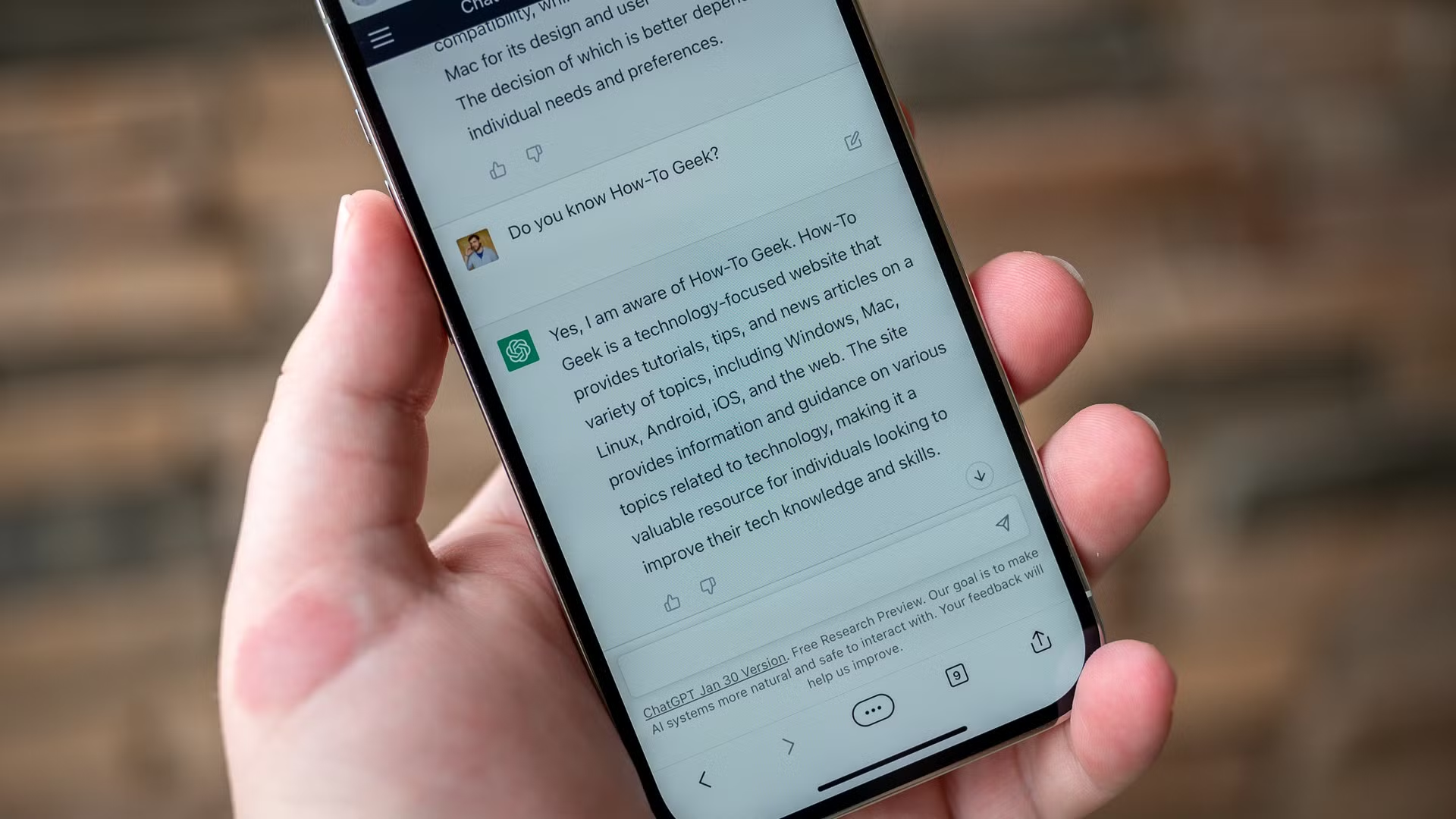
This is the part that converted me. You can keep talking to the same chat, correct it, tell it where it went wrong, and it remembers what you said earlier in that thread. A search engine gives you ten tabs. ChatGPT gives you one thread that slowly turns into exactly what you wanted.
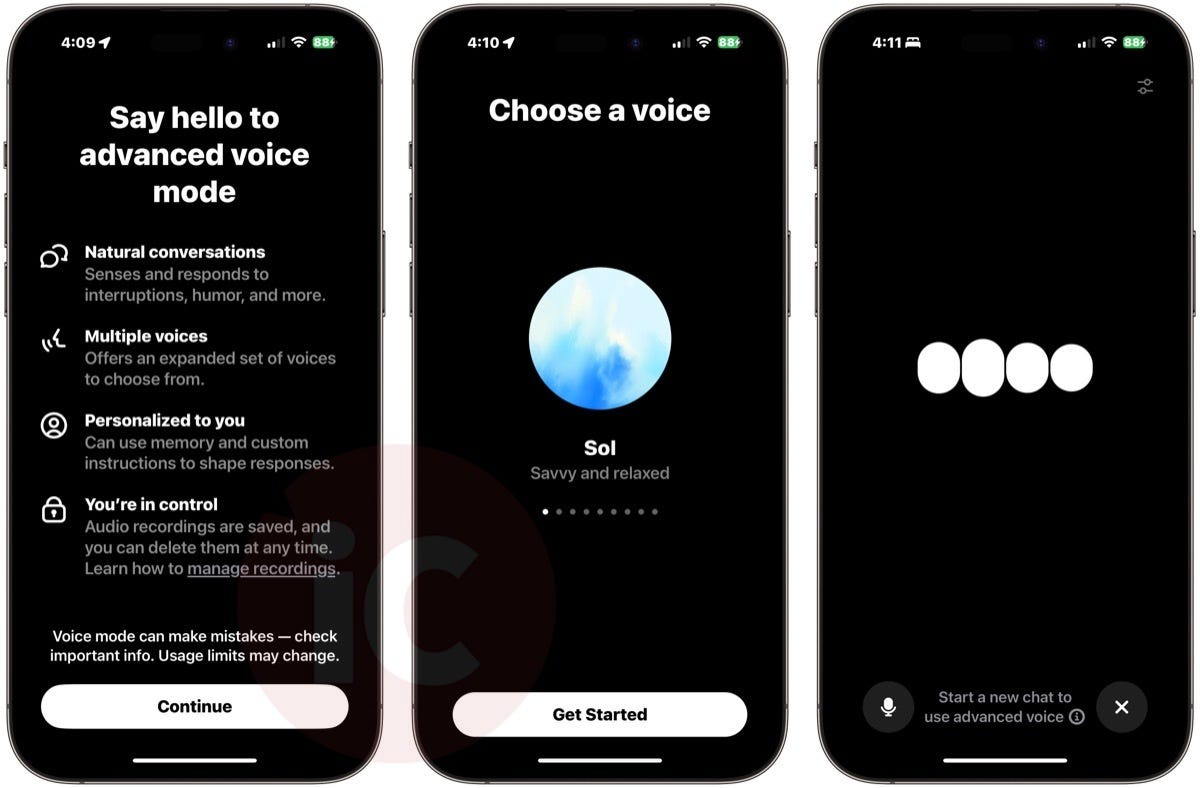
Voice Mode That Feels Like Talking to a Friend
The app has a hands-free voice mode that listens, replies out loud, and handles interruptions like a normal human conversation. I use it in the car, badly, and it still keeps up.
Image and File Understanding
You can snap a photo of a recipe, a tax letter, or a broken error message and the app reads it for you. Screenshot a bug, paste it in, and ask what the error means. It also accepts PDFs, spreadsheets, and documents for quick summaries.
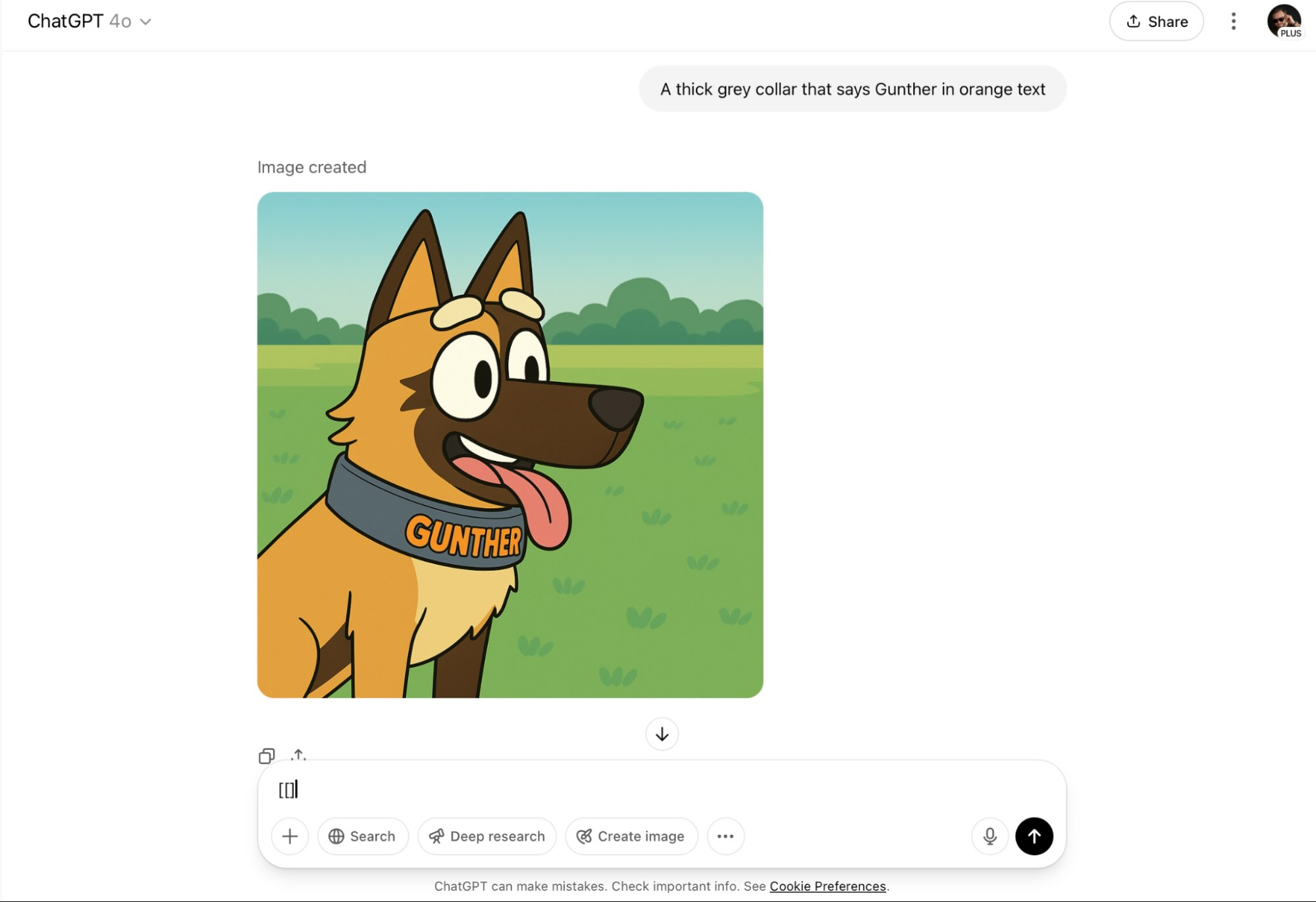
Image Generation Built Right In
You can describe an image in plain words and it draws it for you. Concept art for a board game, a logo for your sister's bakery, a meme for a group chat, all inside the same app.
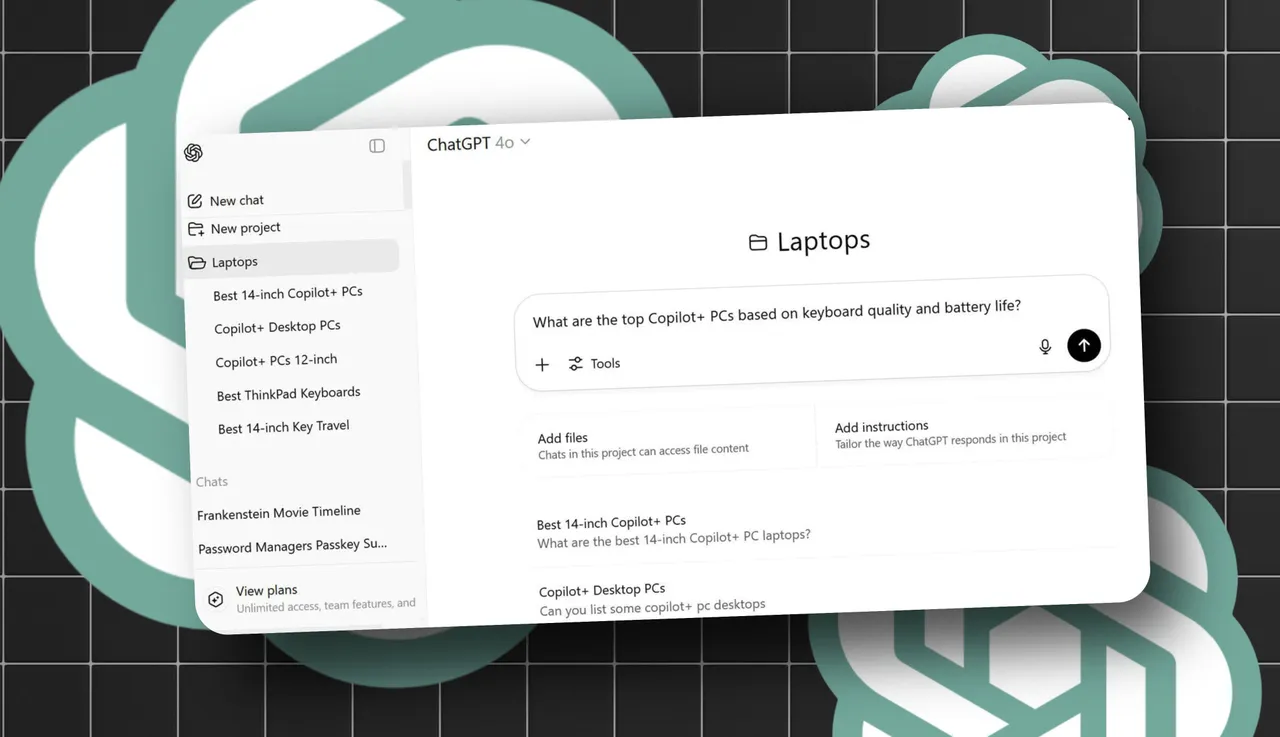
Projects and Memory for Ongoing Stuff
You can organize chats into projects by topic and the app can remember small preferences across conversations, like your name or the city you live in. That sounds minor until it starts greeting you correctly and referencing last week's plan.
App Screenshots
Step-by-Step Tutorial
Here is how to go from zero to genuinely useful in under ten minutes, the way I wish someone had walked me through it.
- Install the app from your official app store and sign up with an email or phone number. The free plan is enough to start.
- Tap the message box and ask something real, not a test question. "Help me plan a three-day trip to Lisbon with a small budget" beats "what can you do".
- Push back on the first answer. Tell it "that itinerary is too packed" or "add more food spots". This is where it stops feeling like a robot.
- Try the microphone button and ask the same question out loud to compare how the answer flows.
- Create a project, drag your conversation into it, and label it so you can find it next week.
- Turn on any memory or personalization settings you are comfortable with, then go do something else. The habit grows on its own.
Use Cases
- Translating and replying to messages in languages you do not speak, including slang and tone checks.
- Writing and editing work emails that actually sound like you, not like a corporate template.
- Explaining confusing documents like medical bills, insurance letters, or rental agreements.
- Studying for a test by asking it to quiz you and then explain every wrong answer.
- Drafting ideas for anything, from a birthday speech to a startup name to a week of dinners.
Tips & Tricks
- Give it a role before asking, like "act as my editor" or "pretend you are a skeptical friend". The answers get noticeably sharper.
- Break big tasks into steps. "Write me an outline" first, then "expand section two", not one giant command.
- Ask it to show its work. "Show me the steps" keeps math and logic answers honest.
- Use the voice mode for quick questions while cooking or driving. It is the least intimidating way in.
- Treat answers as drafts, not facts. Anything important, like medical or legal stuff, check with a real professional.
Pros & Cons
Pros
- Free plan covers more than most people will ever use, with no card required to start.
- Conversations build on each other, so answers get better the more you engage.
- One app handles text, voice, file reading, and image generation, so you rarely need five tools.
Cons
- It can still hallucinate and state wrong things with total confidence, so verify important output.
- Busy hours sometimes mean slower responses or short-term message caps on the free plan.
- Advanced features like the newest models or higher limits sit behind a paid subscription.
Alternatives / Comparison
| App | Core difference | Best for |
|---|---|---|
| Google Gemini | Tightly connected to Google services and search | People who live inside the Google ecosystem |
| Microsoft Copilot | Built around Office and Windows workflows | Office users who want AI inside their documents |
| ChatGPT | Strongest all-round conversation and creativity in one app | Anyone who wants one simple assistant for everything |
FAQs
Is ChatGPT really free to use?
Yes, the free plan gives you unlimited chats, voice mode, file uploads, and image generation with some limits. A paid tier adds the newest models and higher usage caps.
Does ChatGPT work without an internet connection?
No, it needs a connection because the actual thinking happens on OpenAI's servers. You must be online to get answers.
Can ChatGPT see my photos?
Only the ones you upload or attach. You can snap a picture of a document, a whiteboard, or a bug screen, and it reads what is in the image.
How is ChatGPT different from a regular search engine?
A search engine hands you links and makes you read. ChatGPT gives you a direct answer you can keep refining in the same conversation.
Is it safe to type personal information into ChatGPT?
Treat it like a public notebook. Do not share passwords, bank details, or sensitive personal info you would not want stored.
Conclusion
I came into ChatGPT expecting a gimmick and stayed because it quietly removed a dozen small headaches from my week. It is not magic and it is not always right, but it is the rare app that does more the longer you use it. Install it, ask one honest question, and argue with the answer once. That is all it took to convert me.
Safety Note and Disclaimer
Our website is a third-party distribution and information site, not the official app store or the app developer.
Download only from a source you trust and verify the source.
Review the permissions the app requests and decline anything that looks excessive.
Keep your device's security settings and antivirus up to date.
Prefer official stores (Google Play) when the app is available there.
This article is an independent overview and is not affiliated with the app's developer.